How to Start a Faceless YouTube Channel in 2026
On this page
- What Is a Faceless YouTube Channel?
- Step 1: Choose a Profitable Niche
- Step 2: Plan Your Content Pipeline
- Step 3: Create Your First Faceless Video
- Step 4: Optimize for the Algorithm
- Step 5: Automate and Scale
- Common Mistakes That Kill Faceless Channels
- Frequently Asked Questions
- Start Your Faceless YouTube Channel Today
To start a faceless YouTube channel in 2026, pick a niche you can publish in for months, choose a repeatable format, make videos with AI visuals or stock footage and a voiceover, then optimize titles and schedule uploads. EasyViral can produce and post the videos from $9 a month. To earn from ads you need Partner Program status, and that bar rises for new applicants in February 2027.
And here is what most guides will not tell you: going faceless is not a compromise. It is a strategic advantage. You skip the lighting setup, the wardrobe changes, the performance anxiety, and the hours spent getting comfortable on camera. Instead, you channel all that energy into what actually matters: content quality, niche selection, and consistency. For introverts especially, faceless content is liberation, not limitation.
In this guide, you will learn exactly how to start a faceless YouTube channel from scratch in 5 steps, from picking a profitable niche to creating your first video with AI tools and automating your entire posting schedule. No fluff, no theory. Just the steps that work right now in 2026.
What Is a Faceless YouTube Channel?
A faceless YouTube channel publishes videos where the creator never appears on screen. Instead of a talking head, these channels use a variety of visual formats (stock footage montages, AI-generated imagery, screen recordings, whiteboard animations, motion graphics, or even simple slideshows) paired with a voiceover that is either recorded or AI-generated.
The format is not new, but it has exploded in the last two years. The reason is simple: the tools caught up with the idea. AI voiceovers now sound natural, AI image generation can produce compelling visuals in seconds, and platforms like EasyViral.ai have packaged the entire workflow into a single dashboard. What used to take a team of freelancers can now be done solo.
Why Faceless Channels Are Exploding
Several forces are driving the growth of faceless content:
- Lower barrier to entry. You do not need a camera, lighting setup, or editing skills. A laptop and an internet connection are enough.
- Scalability. Because you are not the bottleneck (no filming, no makeup, no location scouting), you can produce more content and even run multiple channels simultaneously.
- Evergreen appeal. Faceless videos in niches like finance facts, psychology, or science tend to age well. A video about cognitive biases posted today will still get recommended two years from now.
- Global reach. AI dubbing and multi-language support mean a single video concept can be published in 11 different languages without hiring translators.
- Privacy. You build equity in a channel without attaching your face or real identity to it.
Real Revenue From Faceless Channels
Finance channels tend to earn the most per view, because advertisers pay more to reach viewers making money decisions. Scary story and true crime channels build long watch sessions. Even smaller niches like mythology and legends or space content can reach large audiences once a channel finds its format.
Look at channels like Kurzgesagt (over 25 million subscribers with animated explainers) and Bright Side (over 44 million with fact-based content), both built without an on-camera host. They are outliers, but they show what the format can do.
Step 1: Choose a Profitable Niche
Your niche determines everything: your audience, your CPM, your competition, and how easy it is to produce content consistently. Choose wrong and you will burn out making videos nobody watches. Choose right and the algorithm does most of the heavy lifting.
Top 10 Faceless Niches That Get Views
Based on current trends and proven performance, here are the strongest niches for a faceless YouTube channel in 2026:
- 1Finance Facts: High ad rates, evergreen topics, steady search demand. Think: surprising money facts, investment mistakes, wealth psychology.
- 2Scary Stories: Incredible watch time and retention. Viewers binge these. Horror narration channels grow fast with consistent posting.
- 3Psychology & Human Behavior: Endlessly fascinating to a broad audience. Topics like manipulation tactics, body language, and cognitive biases perform extremely well.
- 4AI Tools & Technology: Timely and searchable. New tools launch weekly, giving you a constant stream of fresh content ideas.
- 5True Crime: One of YouTube’s most-watched categories. Long watch times and passionate audiences.
- 6Motivation & Self-Improvement: Pairs well with YouTube Shorts. Motivational clips get shared heavily, driving subscriber growth.
- 7Science & Space: Visual-heavy content that AI tools handle beautifully. The universe is literally infinite content.
- 8Cooking Hacks & Recipes: Works great as short-form. Quick recipe videos with voiceover narration get millions of views.
- 9Conspiracy Theories & Mysteries: High curiosity factor drives clicks. Unsolved mysteries and unexplained events keep viewers hooked.
- 10Animal Facts: Broad appeal, family-friendly, and consistently strong engagement across all demographics.
Other niches worth considering include luxury lifestyle, life hacks, mythology and legends, and history. For a ranking of faceless niches by RPM, see our breakdown, and for short-form ideas, see our guide to faceless TikTok niches that go viral in 2026.
How to Validate Your Niche
Before committing, do this 15-minute validation:
- 1Search YouTube for your niche keywords. Look at channels that started in the last 12 months. Are any of them getting 10K+ views per video within their first 50 uploads? If yes, the niche is alive.
- 2Check the competition. If the top channels all have 1M+ subscribers and have been around for 5+ years, the niche may be saturated at the top but still viable for focused sub-niches.
- 3Estimate earning potential. Finance, business, tech and health niches usually attract higher ad rates than entertainment and lifestyle. Higher rates mean fewer views needed to hit your income goals.
- 4Test content ideas. Write down 30 video titles in your niche. If you run out of ideas before hitting 30, the niche might be too narrow. You need a niche you can publish in consistently for 6-12 months.
Step 2: Plan Your Content Pipeline
Posting one video and waiting is not a strategy. Consistency helps because each video is another entry point for new viewers, but YouTube says to prioritize consistent quality over a high frequency of uploads.
Script Templates for Faceless Videos
Most successful faceless videos follow one of these proven structures:
The Listicle: "10 Psychology Tricks That Actually Work." Each item gets 30-60 seconds. Easy to script, easy to watch, easy to produce.
The Story Arc: "The Man Who Survived 76 Days Lost at Sea." A narrative with a beginning, middle, and resolution. Works best for scary stories, true crime, and history.
The Explainer: "Why You Can’t Remember Your Dreams." Takes a single question and answers it thoroughly. Strong for science, psychology, and finance content.
The Countdown: "5 AI Tools That Will Replace Your Job by 2027." Creates urgency and curiosity. Great for tech and AI niches.
For each video, aim for this structure:
- Hook (first 3-5 seconds): A question, bold statement, or surprising fact that stops the scroll. This is the single most important part of your video. State a problem immediately. Do not open with an intro or channel name. Viewers decide whether to stay or leave in the first few seconds, and your retention graph will prove it.
- Setup (next 10-15 seconds): Context that makes the viewer care.
- Body (main content): Deliver on the promise of your title.
- Callback or CTA (final 10 seconds): Link to another video or ask for a subscribe.
How Often to Post
The sweet spot for most new faceless channels is 4-5 videos per week. This gives the algorithm enough content to test while keeping quality reasonable. Some creators go daily, which can accelerate growth but risks burnout if your production process is not streamlined.
For YouTube Shorts, you can push volume higher: 1-2 Shorts per day is manageable with the right tools and helps grow subscribers quickly.
Step 3: Create Your First Faceless Video
Here is where most people get stuck. They spend weeks researching and never actually publish anything. Let us fix that by walking through both approaches: the manual method and the AI-powered method.
The DIY Method (Free but Slow)
If you are working with zero budget, here is the free stack:
- 1Script: Write it yourself or use ChatGPT for a first draft. Budget 30-60 minutes per script.
- 2Visuals: Source free stock footage from Pexels or Pixabay. Budget 30-45 minutes finding and downloading clips.
- 3Voiceover: Record yourself (free) or use a free tier text-to-speech tool. Quality varies significantly.
- 4Editing: Use CapCut (free) or DaVinci Resolve (free). Budget 1-2 hours per video for editing, captioning, and music.
- 5Thumbnail: Canva free tier works fine for basic thumbnails.
Total time per video: 3-5 hours. This is fine for your first few videos to learn the craft, but it does not scale. At 5 videos per week, you are looking at a 15-25 hour weekly time commitment just on production.
The AI-Powered Method With EasyViral
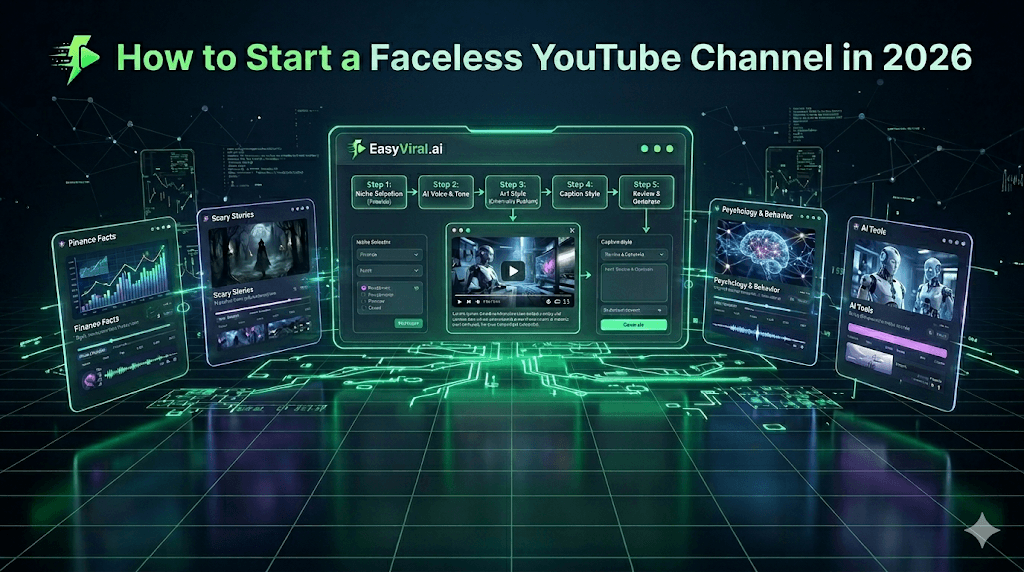
This is where the math changes. EasyViral.ai compresses the entire faceless video workflow into a 5-step wizard. You set up a series once, and every video in it reuses those settings.
Here is what the process looks like:
Step 1: Pick Your Niche. Choose from 38 built-in niches, or describe your own custom niche. Whether you are making finance facts, scary stories, psychology content or cooking hacks, many niches come with suggested settings for voice, tone and art style.
Step 2: Voice and Tone. Select from 12 English narrator voices, both male and female (9 to 14 in each of the other 10 languages), and set the tone of your video. Want a calm, authoritative narrator for a science channel? A dramatic voice for true crime? You dial that in here. There is even voice cloning if you want a consistent custom voice across all your content.
Step 3: Art Style. Choose one of 13 art styles for your AI-generated scenes. This is where your channel’s look gets defined. Different art styles work better for different niches: cinematic realism for luxury lifestyle, dark atmospheric visuals for horror, clean illustrations for explainers.
Step 4: Caption Style. Pick how your captions appear on screen. Captions are non-negotiable for engagement. They keep viewers watching even when sound is off, which is critical for Shorts.
Step 5: Review and Generate. Preview everything, make adjustments, and hit generate. The platform handles the AI script, visuals, voiceover, captions, and background music (in a mood you choose) all at once.
A 60-second video costs 400 credits. On the Starter plan at $9 per month, you get 1,750 credits, enough for about 4 sixty-second videos or 7 thirty-second Shorts (at 250 credits each). The Growth plan at $24.99 per month gives you 5,000 credits, enough for 20 thirty-second or 12 sixty-second videos a month (the 5 a day limit is a ceiling). If you want a video every day or run several channels, the Pro plan at $49.99 per month gives you 12,000 credits (48 thirty-second or 30 sixty-second videos), a 10 a day cap and unlimited series.
All plans offer 20% off with yearly billing.
The difference is not just speed. It is consistency. Every video has professional-quality voiceover, properly timed captions, and matching visuals. No skill gap, no freelancer delays, no quality variation between videos.
Step 4: Optimize for the Algorithm
Creating the video is half the battle. The other half is packaging it so YouTube actually shows it to people.
Titles That Get Clicks
Your title needs to do two things: include a searchable keyword and create curiosity. Here are frameworks that work:
- "How [Surprising Thing] Actually Works", for example "How Credit Scores Actually Work (Banks Hide This)"
- "[Number] [Things] That [Strong Verb]", for example "7 Psychology Tricks That Manipulate Your Brain"
- "Why [Common Belief] Is Wrong", for example "Why Saving Money Is Actually Making You Poorer"
- "The Truth About [Topic]", for example "The Truth About AI-Generated Content in 2026"
Keep titles under 60 characters so they do not get cut off on mobile. Front-load the most compelling words.
Thumbnails Without a Face
Faceless channels need thumbnails that pop without relying on facial expressions. Strategies that work:
- Bold text overlay (3-4 words max) on a contrasting background
- Before/after comparisons or visual contrasts
- Single striking image with a curiosity gap
- Bright colors such as yellow, red and blue, which stand out more than muted palettes
Use high contrast and test at a small size. Your thumbnail needs to be readable as a tiny rectangle on a phone screen.
Descriptions and Tags
Write descriptions that are at least 200 words. Front-load your main keyword in the first two lines (that is what shows before the "Show More" fold). Include:
- A 2-3 sentence summary with your target keywords
- Timestamps for longer videos
- Links to related videos on your channel
- A brief call to action
Tags still matter, but less than they used to. Include your main keyword, 2-3 variations, and your channel name.
YouTube Shorts vs. Long-Form
You do not have to choose one. The best strategy uses both:
- Shorts (30-60 seconds): Fast subscriber growth, lower revenue per view, great for testing topics. If a Short goes viral, remake it as a long-form deep dive.
- Long-form (8-15 minutes): Higher ad revenue, better watch time metrics, builds channel authority. This is where the real money lives.
A good cadence is 3 long-form videos plus 5-7 Shorts per week. The Shorts feed your subscriber count; the long-form videos generate the ad revenue.
Step 5: Automate and Scale
The real advantage of faceless content is that it is systematizable. Once your workflow is dialed in, you can scale from one channel to three without tripling your workload.
Setting Up an Automated Posting Schedule
Consistency matters more than perfection on YouTube. Here is how to build a reliable pipeline:
- 1Batch your content. Dedicate one day per week to creating all your videos for the next 7 days. With AI tools, this might take 2-3 hours for a full week of content.
- 2Schedule uploads. YouTube Studio lets you set a publish date, time and time zone for each video. Upload your batch and set the publish times; YouTube says not to overthink publish time, so use your Audience tab rather than generic rules.
- 3Use series automation. EasyViral’s series feature lets you set up recurring content themes. Create a "Monday Motivation" series or a "Friday Finance Facts" series, and the platform remembers your settings (niche, voice, art style, captions). Connect your YouTube channel, pick the posting dates, and EasyViral generates each video and publishes it at the scheduled time.
Running Multiple Channels
Many successful faceless content creators run 2-5 channels across different niches. The key is choosing niches that do not compete with each other for the same audience. For example:
- Channel 1: Psychology facts (high CPM, broad audience)
- Channel 2: Scary stories (high watch time, different viewer demographic)
- Channel 3: AI tools reviews (timely content, tech-savvy audience)
With EasyViral’s Pro plan, you get unlimited series and 12,000 credits a month, about 48 thirty-second videos. That covers one channel posting daily, or three channels posting three times a week.
Common Mistakes That Kill Faceless Channels
Here are the patterns that most often hold faceless creators back:
- 1Choosing a niche based on passion alone. Passion is great, but if nobody is searching for your topic, nobody will find your videos. Always validate demand first.
- 2Inconsistent posting. YouTube says its algorithm does not penalize breaks, but a schedule you can keep gives viewers a reason to come back and gives you steady data to learn from. Pick a frequency you can sustain and stick to it.
- 3Ignoring the first 5 seconds. On YouTube, you have roughly 3-5 seconds before a viewer decides to stay or scroll. If your video opens with a generic intro or slow buildup, your retention tanks and the algorithm stops promoting the video.
- 4Poor audio quality. Viewers will tolerate mediocre visuals far longer than they will tolerate bad audio. If you are recording your own voiceover, invest in a decent microphone. If you are using AI voices, pick a platform with natural-sounding options. Robotic text-to-speech is an instant click-away.
- 5Never analyzing performance. YouTube Studio gives you detailed analytics for free. Watch your audience retention graphs. If viewers consistently drop off at the same point, that tells you exactly what to fix. Check which topics get the most impressions and double down on those.
- 6Spending too much time per video. Perfectionism is the enemy of a faceless channel. A good video published today beats a perfect video published never. Aim for consistent quality, not flawless production.
- 7Not repurposing content. Every long-form video can become 3-5 Shorts. Every Short that performs well can become a long-form deep dive. Every script can be adapted for TikTok, Instagram Reels, or a blog post. One idea should fuel multiple pieces of content across platforms.
Frequently Asked Questions
Do I need to show my face at all on a faceless YouTube channel?
No. Large channels such as Kurzgesagt and Bright Side have built audiences of tens of millions without an on-camera host. Your content, consistency, and niche selection matter far more than whether viewers can see you. Some faceless creators eventually choose to reveal themselves, but it is entirely optional and not required for success.
How much money can a faceless YouTube channel make?
Revenue depends on your niche, audience country, views and monetization mix. YouTube does not publish rates by niche, and CPM (what advertisers pay) is usually higher than RPM (what you earn per 1,000 views). To earn from ads you first need YouTube Partner Program status: 1,000 subscribers plus 4,000 qualified watch hours in 12 months or 10 million qualified Shorts views in 90 days. From February 1, 2027, new applicants need 8,000 hours or 20 million Shorts views.
What equipment do I need to start a faceless YouTube channel?
At minimum, you need a computer and an internet connection. If you are using an AI video platform like EasyViral, that is literally all you need. The platform handles script writing, visuals, voiceover, captions, and music. If you prefer the DIY route, add a free video editor (CapCut or DaVinci Resolve), free stock footage sources (Pexels, Pixabay), and optionally a USB microphone ($30-$60) if you want to record your own voiceover.
How long does it take to grow a faceless YouTube channel?
There is no reliable average. Growth depends on your niche, your hooks and how viewers respond. Plan to post steadily for several months and judge progress by retention and, for Shorts, the Stayed to watch metric in YouTube Studio. Remember that YPP needs more than subscribers: 4,000 qualified watch hours or 10 million qualified Shorts views (8,000 hours or 20 million views for new applicants from February 2027).
What is the best AI tool for making faceless YouTube videos?
The best AI tool for faceless YouTube videos in 2026 depends on your needs. EasyViral.ai is purpose-built for faceless content. It combines AI script generation, visual creation, voiceover (12 English voices, 9 to 14 in each of its 11 languages, plus voice cloning), captions, and background music in a single 5-step wizard. Series can also post to your channel on a schedule. Other creators piece together separate tools (ChatGPT for scripts, Pexels for footage, ElevenLabs for voice, CapCut for editing), but the all-in-one approach saves significant time when posting daily.
How is a faceless YouTube channel different from a faceless TikTok account?
The core concept is the same (no on-camera appearance), but the money works differently. YouTube pays ad revenue through the Partner Program: long-form videos earn from ads on their own page, while Shorts share a pooled Creator Pool. TikTok’s Creator Fund closed in 2023; its Creator Rewards Program pays only for original videos at least one minute long, for creators 18 or older with 10,000 followers and 100,000 views in the last 30 days. Many creators use short TikToks to grow and YouTube long-form for ad revenue.
Can YouTube detect AI-generated faceless videos?
Sometimes, and it can label them. YouTube may add an AI label itself when its systems detect AI-generated or altered content, or when a file carries C2PA metadata. You must disclose realistic synthetic content, such as a realistic scene that did not happen; clearly unrealistic or animated content and AI-written scripts do not need it. Being AI-made is not a penalty, but YouTube’s inauthentic content policy keeps mass-produced, templated videos out of monetization.
Start Your Faceless YouTube Channel Today
Starting a faceless YouTube channel in 2026 is more accessible than it has ever been. The playbook is proven, the tools are mature, and the demand for video content is only growing. The only variable left is whether you actually start.
If you want to skip the learning curve and go straight to publishing, EasyViral.ai handles every step, from AI script generation to voiceover, visuals, captions, and music, in a single workflow. Pick from 38 niches (or your own), choose your voice and art style, and schedule your first series. Plans start at $9/month, and you can be publishing content today instead of spending weeks figuring out the tool stack.
Your first video will not be your best, and that is fine. The creators earning real money from faceless channels are the ones who posted that imperfect first video and kept going.