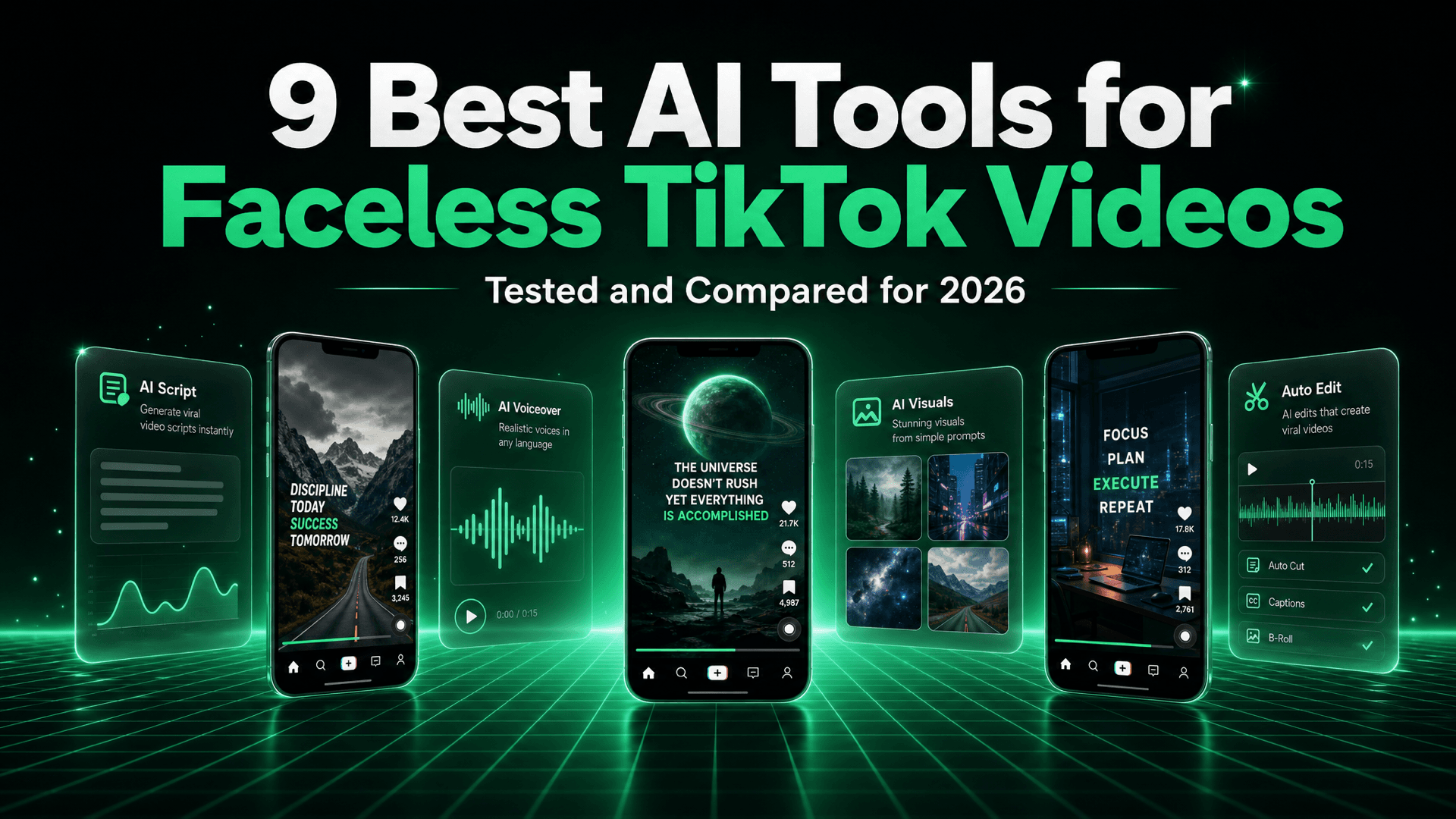
The 9 Best AI Tools for Faceless TikTok Videos in 2026
On this page
Faceless TikTok is not a trick anymore. It is a production format. Scroll for ten minutes and you will pass a dozen accounts with no creator on screen: AI narrated history clips, finance explainers over stock b-roll, reddit story reads, ambient satisfying loops, motivational cuts with kinetic captions. None of them require a camera, a ring light, or the willingness to be recognized at the grocery store.
What has changed is not appetite for the format. It is the bottleneck. Two years ago the hard part was making one good faceless video. Today it is making the sixtieth one this month without quietly abandoning the channel. TikTok rewards frequency, and frequency is a logistics problem: scripting, voiceover, visuals, captions, export, upload, hashtags, repeat. Most faceless channels do not die from bad content. They die at video eleven, when the creator realizes they signed up for a part time job.
So the real question is not "which AI tool makes the prettiest video." It is "which AI tool removes the specific step that will make me quit." The answer differs depending on whether you are starting from nothing, sitting on hours of long form footage, or running five niche accounts at once. Below are the nine tools that come up most often in that decision, what each is genuinely built for, and where each falls short.
What Actually Matters When Picking a Faceless TikTok Tool
Feature lists are close to useless here, because almost every tool claims scripts, voices, captions, and stock footage. The differences that show up after week three are structural. These four reliably predict whether you will still be publishing in ninety days.
Does It Generate From Nothing, or Does It Need Source Footage?
This is the first fork in the road and it eliminates half the market instantly. Opus Clip and SendShort are repurposing engines: outstanding when you feed them a podcast, a stream, or a webinar, close to useless when you have an empty folder. EasyViral.ai, AutoShorts.ai, StoryShort.ai, and Revid.ai are generation engines. You give them a topic or a premise and they build the video from scratch. If you already film long content, a clipper is the highest leverage purchase you will make. If you do not, and most faceless creators do not, it is an expensive way to be stuck.
Voice Quality and Caption Timing
Faceless video has no face to carry the emotion, so the voice carries all of it. A flat, evenly paced synthetic read loses viewers in the first two seconds regardless of the script. Listen to a full sample before committing, specifically for breath, emphasis on the hook line, and whether numbers and proper nouns are pronounced correctly. Voice cloning matters more than it sounds like it should, because a consistent voice is one of the only branding assets a faceless channel has.
Caption timing is the quieter killer. TikTok is watched muted more often than creators admit, and captions that lag the audio by a couple of frames read as sloppy. When we analyzed 500 viral faceless Shorts, word level caption sync tracked with retention more tightly than visual quality did. Any tool offering only sentence level subtitles is a step behind.
Whether It Publishes For You
Generating a video and publishing a video are separate problems, and most tools solve only the first. If your workflow ends with an MP4 download, you have automated the fun part and kept the tedious part. Downloading, transferring to a phone, writing a caption, and picking a time is maybe four minutes per video. At five videos a day across three accounts, that is why accounts go dark.
Look for direct account connections and recurring schedules, not just an export button. Tools that let you configure a series once and leave it alone are in a different category from tools that make you press "generate" every morning. Our guide on how to automate your Shorts pipeline shows what a fully hands off setup looks like.
Cost Per Finished Video, Not Cost Per Month
Sticker prices are the wrong unit. What matters is what one publishable sixty second video costs, including the ones you throw away. Some tools charge again every time you regenerate. Some count a failed render against your allowance. Some are cheap monthly but cap you below the volume TikTok rewards. A plan allowing thirty videos a month with no regeneration headroom really allows about twenty.
The 9 Best AI Tools for Faceless TikTok Videos
1. EasyViral.ai: Best for Fully Automated Faceless Series and Auto-Posting
EasyViral.ai is built around a single idea: a faceless channel is a series, not a pile of individual videos. You pick a niche and an art style, choose a voice, set a cadence, and the platform generates and publishes on that schedule without you opening it again. Script, AI visuals, voiceover, word level captions, and background music happen in one pass, and output is vertical 9:16 because short form is the only thing it is designed for.
Auto-posting to TikTok, Instagram, and YouTube Shorts is live, and it is the feature that changes the daily experience most, converting the tool from something you operate into something that runs. Every plan includes all art styles, all voices, custom voice clones, background music, and no watermark, so you are not paying extra to unlock the parts that make a video look like it was not made in a hurry. Pricing is $9/mo for Starter (1,750 credits, 2 videos per day, 3 series, up to 1 minute videos), $24.99/mo for Growth (5,000 credits, 5 videos per day, 10 series, up to 2 minute videos), and $49.99/mo for Pro (12,000 credits, 10 videos per day, unlimited series, 2 minute videos). Credits scale with length: 250 for 30 seconds, 400 for 60 seconds, 700 for 2 minutes. Yearly billing is 20 percent off.
The honest trade-off is ceiling. Maximum length is two minutes, so this is a short form tool and nothing else. There is no timeline editor, so if you want to hand place a cut on a specific beat, this is the wrong instrument. And there is no free trial, though there is a 14 day full refund if you have not spent credits. If your ambition is a long form documentary channel, look elsewhere. If it is a faceless TikTok account posting daily in a proven niche, this is the shortest path to a published video.
2. AutoShorts.ai: Best for Set and Forget Scheduled Uploads
AutoShorts.ai sits in the same category as EasyViral, faceless generation with scheduling attached, and it has been at it long enough to have a real user base. The pitch is a recurring pipeline: choose a topic type, a visual style, a voice, and how often you want to post, then let it run. It covers the standard faceless formats performing on TikTok, including AI story videos, fact and listicle formats, and narrated image sequences.
Its genuine strength is simplicity of setup. Onboarding is short and the number of decisions is small, which for a lot of people is precisely right, since the biggest risk to a new faceless channel is fiddling instead of publishing. The trade-off is the flip side of the same coin: because it is template driven, creative range is narrower than a more open generation model, and channels built on the same templates start to resemble each other. Pricing and included volumes have changed more than once, so check current plans on their site rather than trusting any number in a blog post, including this one.
3. StoryShort.ai: Best for Narrative and Story-Driven Faceless Videos
StoryShort.ai is aimed squarely at the story formats that dominate faceless TikTok: reddit reads, urban legends, historical retellings, and serialized mini narratives that pull viewers to part two. The generation flow is built around a premise rather than a keyword, which produces scripts with an actual arc instead of a list of facts with a call to action bolted on the end.
If your niche lives or dies on narrative, that focus is worth real money. Generic text to video tools write in a flat encyclopedic register that works fine for "5 facts about Saturn" and badly for a ghost story. StoryShort also gives visible control over scenes, so you can steer imagery per beat. The narrowness cuts both ways, though: if your channel is product reviews, finance explainers, or news commentary, a story engine is over specialized and you will fight it. It is also a smaller product than several tools here, so expect a leaner feature surface at the edges. Verify current pricing and platform connections with the vendor, as both have moved.
4. Revid.ai: Best for Fast Prompt to Video with Trend Awareness
Revid.ai is the speed option. You type a prompt or paste a link and get a vertical video back quickly, captions and voiceover already applied. It leans into short form conventions rather than treating TikTok as an afterthought, and it has invested in the trend adjacent side of the workflow: hook suggestions, formats modeled on what is currently working, and fast regeneration.
That iteration speed is the real feature. Faceless TikTok is a hit rate game, and producing eight variants of a hook in an afternoon is worth more than any single polished video. Revid is genuinely good at the "let me try that a different way" loop, which the more automated tools deliberately hide from you. The cost is consistency: prompt driven output varies more between runs than template driven output, which is fine for testing and annoying for a channel that wants a stable look. It also keeps more of your time inside the tool, the opposite of what a series workflow is for. Pricing tiers shift regularly, so check the current page before budgeting.
5. SendShort: Best for Clipping Plus Auto B-Roll and Captions
SendShort is primarily a repurposing tool. You bring long video, it finds the segments most likely to work standalone, reframes them vertically with subject tracking, and layers on animated captions. It also adds automatic b-roll, which matters more than it sounds for talking head footage, since a static frame for forty seconds is a retention problem on TikTok.
The auto b-roll and caption styling are what distinguish it from plain clippers. Output arrives closer to publishable than from tools that hand you a cropped clip and leave enrichment to you, and it handles multiple languages well if you run the same source across regional accounts. The obvious limit is the input requirement. If you do not have long video, you do not have a use case here, and no amount of feature depth changes that. For creators generating faceless content from nothing, this is the wrong tool by design rather than by quality. Check current pricing with the vendor.
6. CapCut: Best Free Manual Editor
CapCut deserves more respect than roundups like this usually give it. It is straightforwardly the best free video editor most creators will ever use, and an enormous share of what performs on TikTok is edited in it. Auto captions are fast and accurate, the template library is deep, and the mobile and desktop versions are close enough that you can start on one and finish on the other. If you want precise control over a cut, a beat, or a caption position, CapCut gives it to you at no cost.
It is also the tool most aligned with what TikTok itself looks like, since trend formats and effects appear there first. For creators who care about their videos not feeling like AI slop, the manual pass in CapCut is often what separates a video that reads as made from one that reads as generated.
The weakness is that it does not solve the problem this article is about. CapCut is an editor, not a pipeline. It does not write your script, generate visuals from a topic, or publish on a schedule. Every video costs the same twenty to forty minutes as the last one, forever. That is fine at two videos a week and unsustainable at two a day, which is why many creators use it alongside a generation tool rather than instead of one.
7. Opus Clip: Best for Turning Long Video Into Clips
Opus Clip is the best in class product in its category, and the category is narrow and important: taking a long video and finding the moments inside it that work as short form. Clip selection is noticeably better than generic segmentation, it scores clips by likely performance, it reframes with speaker tracking that holds up on multi person footage, and the captions are clean out of the box.
If you record long content, this is close to a default purchase. A single two hour podcast can yield a month of TikTok posts, and Opus Clip does the tedious part of finding which ninety seconds are worth anything. Its virality scoring is not magic, but as a heuristic for where to look first it saves real hours. For a faceless creator starting from zero, though, it is simply not applicable. It cannot conjure source material, and the clips feature whoever was on camera in the original recording, which is the opposite of faceless. It is here because it is excellent, and because many people asking about faceless TikTok tools are actually asking about repurposing. Pricing and clip allowances change, so check current plans.
8. HeyGen: Best for AI Avatar Presenters
HeyGen is the strongest option if what you actually want is a presenter who is not you. Its avatars, lip sync, and translation quality are at the top of the market, and it supports custom avatars for a consistent digital host. For product explainers, UGC style ad creative, and any format where a person talking to camera outperforms b-roll, it is very good.
It is worth being precise about the category. Avatar video is not faceless video. There is a face, it is just synthetic. For some niches that is a strength, because a consistent presenter builds recognition faster than stock footage does. For others it is a liability, since audiences have gotten quick at spotting an avatar. HeyGen is also positioned toward business use, and pricing reflects that relative to short form creator tools. It does not solve series automation or scheduled publishing to TikTok, so it slots in as a component of a workflow rather than the whole thing. Check current pricing directly, as it is tiered in ways a summary would misrepresent.
9. Captions.ai: Best for Caption Design and Mobile-First Editing
Captions.ai started as the best automatic captioning tool on mobile and has expanded into a short form editing suite with AI eye contact correction, filler word removal, dubbing, and its own avatar features. Caption styling remains the core strength: the animated, word level, personality forward treatments TikTok audiences expect, applied in seconds rather than assembled by hand.
For a faceless creator, the useful application is as a finishing layer. If you generate a video elsewhere and want captions that look designed rather than defaulted, this is a fast way to get there, and the mobile experience is unusually good if your production happens in gaps during the day. The limitation is scope. It does not generate faceless videos from a topic, run series, or publish on a schedule. It is a polish tool priced as a subscription, so it makes sense as an addition to a workflow already producing volume rather than the foundation of one.
Full Comparison
| Tool | Built for | Auto-posting | Best for |
|---|---|---|---|
| EasyViral.ai | Generating faceless series from a topic | Yes, TikTok, Instagram, YouTube Shorts | Hands off daily faceless channels |
| AutoShorts.ai | Template based faceless generation | Yes, scheduled uploads | Simple set and forget series |
| StoryShort.ai | Narrative and story format videos | Scheduling available, verify with vendor | Story, horror, and reddit style niches |
| Revid.ai | Fast prompt to vertical video | Available, verify with vendor | Rapid hook and concept testing |
| SendShort | Clipping long video with b-roll and captions | Scheduling available, verify with vendor | Repurposing existing long form video |
| CapCut | Manual video editing | No, direct export to TikTok | Full creative control at no cost |
| Opus Clip | Finding short clips inside long video | Scheduling available, verify with vendor | Podcasters and streamers repurposing |
| HeyGen | AI avatar presenter videos | No, export only | Talking presenter without filming |
| Captions.ai | Caption design and mobile editing | No, export only | Finishing and caption polish |
One caveat on that table. Platform integrations and plan structures in this space change frequently, sometimes quarterly. Treat the auto-posting column as a starting point and confirm on the vendor site before buying on the strength of a single column.
How to Actually Choose
Rather than ranking these in the abstract, match the tool to the situation you are actually in. Most people fit cleanly into one of these four.
You Want a Channel That Runs Without You
You have a niche in mind, no footage, limited time, and you want daily posts. This is the case for EasyViral.ai or AutoShorts.ai, because the deciding feature is series automation plus publishing, not editing depth. EasyViral is the stronger pick if you want auto-posting to TikTok, Instagram, and YouTube Shorts from one series, with voice cloning and no watermark included at the entry tier. AutoShorts is a reasonable alternative if you prefer its templates. Either way, after setup you should not be opening the tool daily. If you are, the automation is not doing its job.
You Already Have Hours of Long Video
You record a podcast, stream, teach, or interview people. Do not buy a generation tool. Buy Opus Clip or SendShort and start by cutting the back catalogue you already own. Opus Clip is the better clip finder. SendShort does more enrichment on the way out. Either will produce more publishable TikToks in a weekend than a generation tool will in a month, because your raw material is already differentiated.
You Want Maximum Control and Zero Budget
You have more time than money, you enjoy editing, and you want your videos to look like a person made deliberate choices. CapCut, full stop. Its free tier is not a trial, it is a real editor, and the ceiling on quality is set by your taste rather than the software. Pair it with Captions.ai if you want caption treatments that look designed. The warning is that this path scales with your hours, so decide in advance how many videos a week you can sustain.
You Need a Presenter, or a Second Format
Some niches convert better with a person on screen, particularly product explainers and anything that is effectively an ad. HeyGen is the tool for that, and it composes well with the others: generate your faceless series in one place, use avatar videos for the occasional format that needs a face. If you are still deciding which platform to prioritize, our breakdown of Shorts versus TikTok versus Reels covers where each currently earns the most reach.
Frequently Asked Questions
What is the best AI tool to create faceless TikTok videos?
It depends on whether you are generating videos from scratch or repurposing existing footage. For generating faceless TikTok videos from nothing, EasyViral.ai is the strongest option because it handles script, AI visuals, voiceover, captions, and music in one pass and then auto-posts to TikTok, Instagram, and YouTube Shorts on a recurring schedule, with plans from $9 per month. AutoShorts.ai, StoryShort.ai, and Revid.ai are the main alternatives in that category. If you already have long form video, Opus Clip and SendShort are better because they extract vertical clips from footage you own. CapCut remains the best free manual editor, and Captions.ai the best caption polish layer.
Can you make faceless TikTok videos for free?
Yes, with a time cost. CapCut is free and fully capable of producing faceless TikTok videos, including auto captions, text animation, and stock elements, but you assemble every video manually, which typically takes 20 to 40 minutes each. Several AI generation tools offer limited free tiers, usually with watermarks or low output caps. Paid faceless automation starts around $9 per month, which is generally worth it once you are posting daily, since the value is in reclaiming the time. Note that EasyViral.ai has no free trial, though it offers a 14 day full refund if you have not used any credits.
Does TikTok penalize AI generated faceless videos?
TikTok does not penalize AI generated content by default. It requires disclosure of realistic AI generated or significantly edited content depicting people or events, and it demotes content that is unoriginal, low effort, or duplicated across accounts. That second distinction matters more than the AI question itself. Faceless videos with an AI voiceover, generated or stock visuals, and an original script perform normally. What gets suppressed is content functionally identical to something already on the platform. Original scripting and a distinct visual style matter far more to reach than whether AI was involved.
Can AI tools post to TikTok automatically, or do I have to upload myself?
Some can. EasyViral.ai supports auto-posting to TikTok, Instagram, and YouTube Shorts, so a configured series generates and publishes without manual upload. AutoShorts.ai also offers scheduled uploads, and several other tools in the category have added scheduling. Editors and avatar tools such as CapCut, HeyGen, and Captions.ai export a file that you upload yourself. Because platform integrations change often and depend on the account permissions you grant, confirm current publishing support with the vendor before choosing a tool on that basis alone.
How much do faceless TikTok video tools cost?
Entry level pricing for dedicated faceless video automation starts around $9 per month, which is EasyViral.ai’s Starter plan at 1,750 credits, 2 videos per day, and 3 series. Plans for creators publishing daily across multiple accounts typically land between $25 and $50 per month, for example EasyViral Growth at $24.99 for 5,000 credits and 5 videos per day, or Pro at $49.99 for 12,000 credits, 10 videos per day, and unlimited series. Clipping tools and avatar platforms are usually priced higher because they target businesses. Pricing in this category changes often, so verify current plans with each vendor rather than relying on published comparisons.
Pick the Tool That Removes Your Bottleneck
These nine are not really competing with each other, because they solve different problems. Opus Clip and SendShort compress footage you already have. CapCut and Captions.ai give you control and polish. HeyGen puts a synthetic presenter on screen. EasyViral.ai, AutoShorts.ai, StoryShort.ai, and Revid.ai build videos from nothing but a topic. Buying the wrong category is a more expensive mistake than picking the second best tool inside the right one.
If your bottleneck is that you have no footage, no editing time, and a channel that goes quiet after two weeks, the thing to automate is the whole pipeline, not one step of it. That is what EasyViral.ai is built for: set up a faceless series once, and it generates and posts to TikTok, Instagram, and YouTube Shorts on your schedule. Plans start at $9 per month, all voices, art styles, custom voice clones, and no watermark are included on every tier, and there is a 14 day full refund if you have not used your credits. Pick a niche, set the cadence, and let the channel start earning while you work on something else.