YouTube Shopping Affiliate Program for Faceless Channels: The 500-Subscriber Monetization Shortcut
On this page
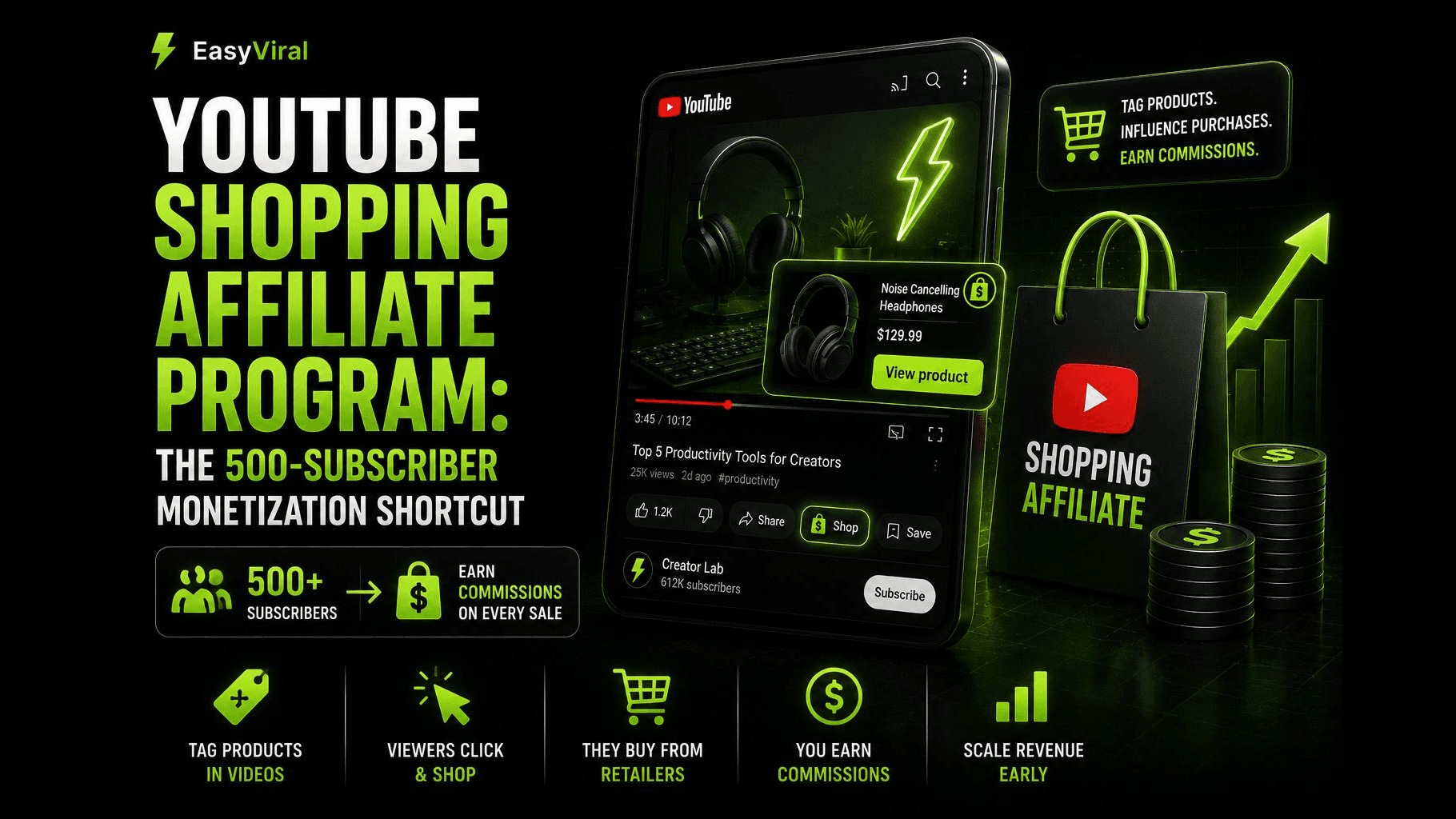
Yes, a faceless channel can join the YouTube Shopping affiliate program at 500 subscribers. Since March 2026, YouTube has opened it to creators in the YouTube Partner Program with at least 500 subscribers in eligible countries. You tag products from participating brands in Shorts, long videos and live streams, and earn the commission each brand sets when viewers buy. Good Shopping videos show the real product; your face is optional.
No face required. No brand deals to negotiate. You tag products in your videos, and when viewers buy through those tags, you earn a commission. Here is everything you need to know about how it works, who qualifies, and how to set it up.
How YouTube Shopping Works
YouTube Shopping is a native commerce layer built directly into the platform. Unlike traditional affiliate links buried in video descriptions, Shopping tags appear as interactive overlays, product stickers, and shopping buttons within the video itself.
The mechanics are simple. You browse a catalog of products from participating brands, select items relevant to your content, and tag them in your videos. Those tags appear to viewers as clickable product cards. When a viewer clicks a tag and completes a purchase on the retailer's site, you earn a commission.
Product tags work across all content formats:
- Long-form videos: Tags appear as a shopping shelf below the video and as in-video overlays at timestamps you specify.
- Shorts: Products show up as shopping stickers that viewers can tap without leaving the Short.
- Livestreams: You can pin products during live broadcasts, creating real-time shopping moments.
You can tag up to 60 products in a video, Short or live stream. YouTube also offers auto-tagging for new uploads: an AI model reads the title, description and captions, tags matching products from the affiliate catalog, and converts description links from participating sellers into tags. You can review, edit or remove auto-tags in YouTube Studio.
Requirements and Eligibility
The updated eligibility requirements as of 2026 are:
- Enrolled in the YouTube Partner Program
- At least 500 subscribers
- Channel is not a music channel or an Official Artist Channel, and is not associated with music partners
- Channel audience is not set as Made for Kids, and the channel does not have a significant number of videos set as made for kids
- Based in an eligible country. As of October 2026, YouTube's help page lists Argentina, Brazil, India, Indonesia, Japan, Korea, Malaysia, Mexico, the Philippines, Singapore, Taiwan, Thailand, the United States and Vietnam, and YouTube announced a UK launch in August 2026
- Compliance with all YouTube monetization policies
- Active AdSense account
The 500-subscriber threshold is significant. Before March 2026, the Shopping affiliate program required 1,000 subscribers. Fan funding (memberships, Super Chat, Super Stickers, Super Thanks) was already open at 500 subscribers through the expanded YPP, while ad revenue needs 1,000 subscribers plus 4,000 watch hours or 10 million Shorts views. Now a YPP channel with 500 subscribers in an eligible country can tag products too.
One important distinction: the 500-subscriber tier grants access to Shopping affiliates, fan funding (Super Thanks, Super Chat), and channel memberships. It does not unlock ad revenue sharing. For ad revenue, you still need 1,000 subscribers plus 4,000 qualified watch hours in 12 months or 10 million qualified Shorts views in 90 days, rising to 8,000 hours or 20 million Shorts views for applications from February 1, 2027 (what changes in 2027). But for many faceless channels focused on product content, affiliate commissions can outpace ad revenue anyway.
How Faceless Channels Use YouTube Shopping
Faceless content and product tagging are a natural fit. Viewers watching product-focused content already have purchase intent. They do not care whether they see your face. They care about seeing the product clearly and hearing useful information about it.
Here are the content formats that work best for faceless channels using Shopping tags:
Product Review Shorts
A 30 to 60-second Short showing a product in use, with text overlays highlighting key features, a voiceover delivering the verdict, and a shopping sticker linking directly to the item. These are fast to produce and target viewers actively searching for product opinions.
Comparison Videos
Side-by-side comparisons of competing products filmed on a desk or table. "Best budget mechanical keyboard vs. premium option" type content where you tag both products and let the viewer decide. No face needed, just clear footage and informed narration.
"Best Of" List Videos
Roundup videos covering the top 5 or top 10 items in a category. Each product gets screen time, a brief explanation, and a shopping tag. These videos have long shelf lives because viewers search for "best [product] 2026" year-round.
Unboxing and First Look Content
Hands-only unboxing with voiceover. The camera stays on the product while you describe build quality, features, and first impressions. Tag the product plus any accessories shown.
Tutorial and How-To Content
Videos explaining how to use a product or set up a workspace. Every item visible in the frame can be tagged, from the main product to the desk mat underneath it.
The key advantage for faceless creators is production speed. Without on-camera preparation, lighting adjustments for a face, or concerns about personal appearance, you can produce more content in less time. More content means more tagged products and more potential commission events.
Another advantage worth noting: faceless product content ages well. A video reviewing a standing desk converter filmed today will still attract search traffic and generate Shopping tag clicks a year from now. The content does not become dated the way personality-driven vlogs do, and you never need to re-film because your appearance changed. This evergreen quality compounds over time as your library of tagged videos grows.
Commission Rates and Earning Potential
Commission rates in the YouTube Shopping affiliate program are set by individual merchants, not by YouTube. This means rates vary widely depending on the brand, product category, and retailer.
What YouTube's help page confirms about commissions:
- Each participating brand or retailer sets the commission rate and attribution window for every product
- The commission percentage is displayed on each product offer
- Commissions are reversed if the customer returns the product
- YouTube publishes no average rates by category, so treat commission benchmarks you see elsewhere with caution
Because rates are visible before you tag, you can compare offers, but pick products that fit the video first: a high rate on a product your viewers do not want earns nothing. Brands also set their own attribution windows, which determine how long after a click a purchase still counts as your referral.
YouTube publishes no typical earnings, so estimate your own with simple math:
- Commission per sale equals the product price times the commission rate shown on the offer
- Monthly commissions equal tag clicks times the share of clicks that end in a purchase times the commission per sale
- Track clicks and purchases in the Shopping analytics in YouTube Studio for a few weeks before you project anything
Results depend heavily on niche, product price point, and how well your content matches buyer intent. A channel reviewing $15 phone accessories will earn less per conversion than one reviewing $300 headphones, but may convert at higher volume.
Commissions are paid through your existing AdSense account within 60 to 120 days after purchase to account for customer returns.
Step-by-Step Setup Guide
Getting started with YouTube Shopping requires just a few minutes once you meet the eligibility criteria.
Step 1: Confirm Your YPP Status
Open YouTube Studio and go to the Earn tab in the left menu. Verify that you are enrolled in the YouTube Partner Program and have at least 500 subscribers.
Step 2: Enable Shopping Affiliates
In YouTube Studio, select Earn in the left menu. Under Programs, click Join Now, then review and accept the YouTube Shopping Affiliate Program Terms of Service.
Step 3: Browse the Product Catalog
Once enabled, you can access the product catalog through the Shopping tab in YouTube Studio. Browse by category, search for specific products, or explore brands. Each listing shows the product image, price, commission rate, and attribution window.
Step 4: Tag Products in Your Videos
You can add product tags during the upload process or by editing existing videos. In the video editor, go to the Shopping section and search for products to tag. For Shorts, you add shopping stickers during creation. For long-form content, you can specify timestamps where product cards should appear.
Step 5: Let Auto-Tagging Help, Then Review It
For new uploads, YouTube's auto-tagging can tag products for you by reading the title, description and captions and converting description links from participating sellers into tags. Review every auto-tag in YouTube Studio, and add tags to older videos by editing them.
Step 6: Request Product Samples (Optional)
Through the Shopping dashboard, you can request free product samples from participating brands. This is useful for creating authentic review content without upfront investment.
Step 7: Monitor Performance
Track clicks, conversions, and earnings in the Shopping analytics section of YouTube Studio. Use this data to identify which products and content formats generate the most revenue, then double down on what works.
YouTube Shopping vs. Traditional Affiliate Links
Both approaches earn you commissions on product sales. But they differ in how viewers interact with them, what products are available, and how much friction sits between a viewer and a purchase.
YouTube Shopping Advantages:
- Products appear inside the video as interactive elements, not as text links viewers must scroll to find
- Zero friction for viewers on mobile, where tapping a product sticker is faster than navigating to a description and clicking a link
- All earnings are managed within YouTube Studio and paid through AdSense, keeping everything in one dashboard
- Auto-tagging can add product tags to new uploads for you
- No need to manage external affiliate accounts or track multiple dashboards
Traditional Affiliate Link Advantages:
- Access to brands outside the Shopping catalog through programs like Amazon Associates, Awin (which has absorbed ShareASale), or direct brand programs. In the United States, Brazil and India, YouTube Shopping can now tag Amazon products too
- Cookie windows set by each program, which can be longer than a Shopping offer's attribution window (YouTube Shopping windows vary by merchant)
- Recurring commissions from some software and subscription programs
- Programs that may be open in countries where YouTube Shopping is not available yet (each program sets its own country rules)
- Works even if your channel does not meet YPP requirements
The Hybrid Approach:
Most successful creators use both. Tag products through YouTube Shopping when they are available in the catalog, and include traditional affiliate links in the description for products that are not part of the Shopping program. This maximizes coverage without leaving money on the table.
For faceless channels specifically, YouTube Shopping has one major edge: it works within the viewing experience. Faceless content viewers are less likely to feel a personal connection that drives them to scroll down and click description links. But they will tap a product sticker that appears right on the Short they are watching.
Niches That Work Best for Shopping Affiliates
Not every faceless niche translates well to product tagging. The best niches share three qualities: viewers have buying intent, products are easy to show on camera without requiring a face, and commission rates are worth the effort.
Tech and Gadgets
The highest-performing niche for faceless Shopping affiliates. Desk setups, phone accessories, smart home devices, computer peripherals, and audio gear all photograph well and attract viewers who are actively deciding what to buy. Average order values tend to be high, and tech brands offer competitive commission rates.
Beauty and Skincare
Product-focused by nature. Swatches, texture shots, before-and-after demonstrations, and ingredient breakdowns all work without showing a face (or showing only hands). Commission rates vary by brand, and repeat purchase behavior means viewers come back for new recommendations.
Home and Kitchen
Organization products, kitchen gadgets, home office accessories, and decor items. These categories benefit from "satisfying" style content that performs well in Shorts. A 30-second video showing a drawer organizer transforming a messy space is simple to film and naturally leads to a product tag.
Fitness and Wellness Gear
Resistance bands, yoga mats, supplements, recovery tools, and workout equipment. Demonstration videos showing products in use (hands or body, no face) work well. Fitness purchases are often impulse-driven after seeing a product demonstrated effectively.
Pet Products
Pet content performs well on YouTube, and you never need to show your own face. Tag the toys, beds, feeders, and grooming tools that appear in your videos. Pet owners spend freely on their animals.
Stationery and Art Supplies
The journaling, planning, and art community thrives on YouTube. Overhead shots of pens, notebooks, and organizational tools are inherently faceless. Tag every supply that appears in your process videos.
Gaming Accessories
Controllers, headsets, microphones, capture cards, and ergonomic chairs. Gaming setup tours and accessory reviews are popular in Short format. Film the gear on your desk, record a voiceover with your impressions, and tag each item. Gaming audiences are comfortable buying online and respond well to product demonstrations.
Getting Started Today
The 500-subscriber threshold for YouTube Shopping removes the largest barrier that kept small faceless channels from earning. If your channel is already in YPP with 500 subscribers in an eligible country, you can join the affiliate program today and start tagging products in your existing videos.
If you are still building toward 500 subscribers, the strategy is clear: focus on product content in a high-intent niche, post consistently, and use Shorts to accelerate subscriber growth. Once you cross 500, every product video in your catalog becomes a potential revenue source.
The channels that will earn the most from this program are the ones that build a deep library of tagged product content across multiple items in their niche. Each video becomes a small storefront that generates commissions around the clock without requiring ongoing effort once published.
Frequently Asked Questions
How many subscribers do you need for the YouTube Shopping affiliate program?
500. Since March 2026, YouTube has opened the Shopping affiliate program to creators in the YouTube Partner Program with at least 500 subscribers who meet its other rules: an eligible country, not a music channel or Official Artist Channel, and an audience not set as Made for Kids. The 500-subscriber YPP tier itself needs 3 public uploads in 90 days plus 3,000 watch hours or 3 million Shorts views.
Which countries can join the YouTube Shopping affiliate program?
As of October 2026, YouTube's help page lists Argentina, Brazil, India, Indonesia, Japan, Korea, Malaysia, Mexico, the Philippines, Singapore, Taiwan, Thailand, the United States and Vietnam. YouTube also announced the program for eligible UK creators in August 2026. The list keeps growing, so check the official help page before you plan a channel around it.
How much commission do YouTube Shopping affiliates earn?
It depends on the product. Each participating brand or retailer sets its own commission rate and attribution window, and the percentage is shown on every product offer before you tag it. YouTube pays commissions through AdSense for YouTube 60 to 120 days after the purchase, and reverses them if the customer returns the item.
Can you use YouTube Shopping product tags on Shorts?
Yes. You can tag products in Shorts, long videos and live streams, up to 60 products per piece of content. On Shorts, tagged products appear as a Shopping product sticker that viewers can tap; long videos show a Shopping button. You can't tag products on content marked as made for kids or on content that isn't eligible for monetization.
Does the YouTube Shopping affiliate program include ad revenue?
No. Shopping commissions are separate from ad revenue. At 500 subscribers, YPP gives you fan funding and Shopping but not ad revenue sharing. Ads need 1,000 subscribers plus 4,000 qualified watch hours in 12 months or 10 million qualified Shorts views in 90 days, rising to 8,000 hours or 20 million Shorts views for applications from February 1, 2027.